
The Trade Interface
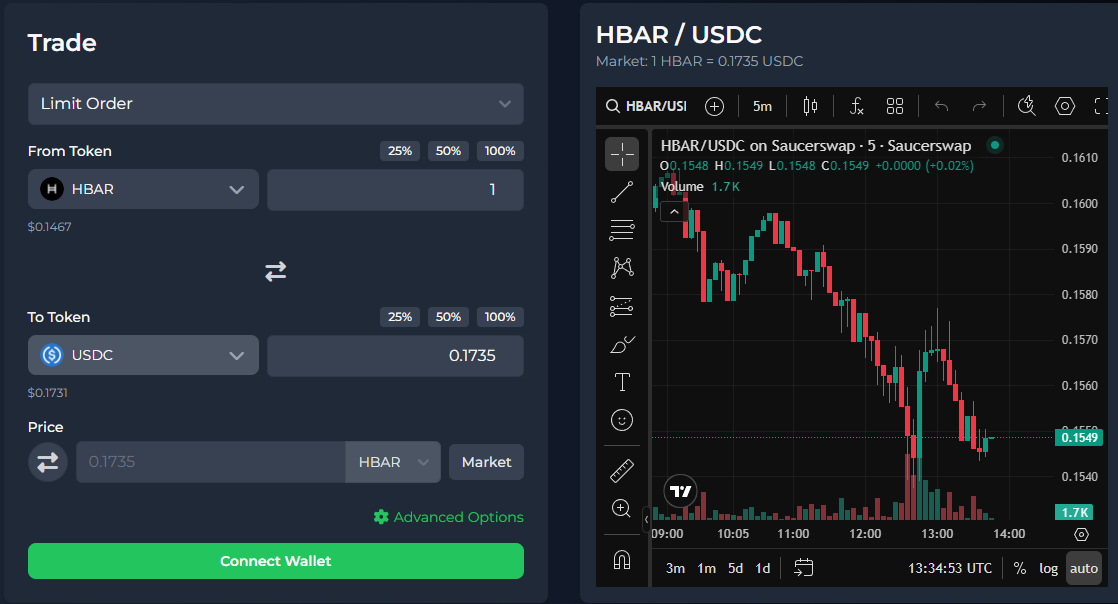
The Trade page is where you create and manage all types of orders on Diffused Dex.
This interface is designed to be clean, intuitive, and powerful, giving you full control over your trades across Hedera DEXs.
Order Types
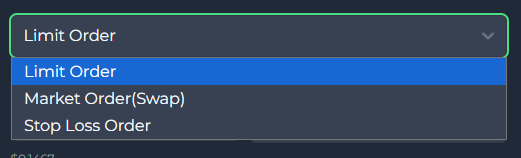
Diffused Dex supports multiple order types to suit different trading strategies:
Limit Order - Set a specific target price. When the market reaches your price, the system automatically executes the order.
Market Order (Swap) -
Executes immediately at the best available price across supported Hedera DEXs.Stop-Loss Order -
Protect your position by triggering a market sell when the price falls to your defined stop level.
You can switch between these modes using the dropdown at the top of the panel.
Select Tokens
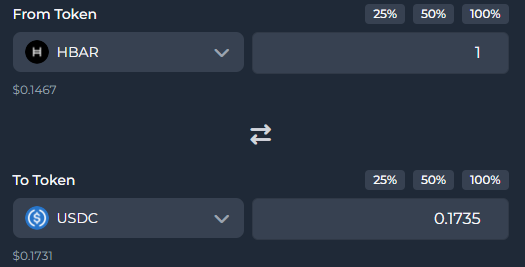
The interface allows you to choose:
- From Token - The token you want to sell (e.g., HBAR)
- To Token - The token you want to buy (e.g., USDC)
Each token field displays:
- The selected token
- Your available balance
- Shortcuts to quickly use 25%, 50%, 75%, or 100% of your balance
The arrow between the two fields lets you swap directions instantly.
Set the Price

Below the token fields, you can specify:
- The exact price at which your limit or stop-loss order should execute
- The unit of pricing (e.g., “HBAR per USDC”)
- The Market toggle (for immediate execution)
For Market Orders, the price field is automatically handled and disabled.
Advanced Options
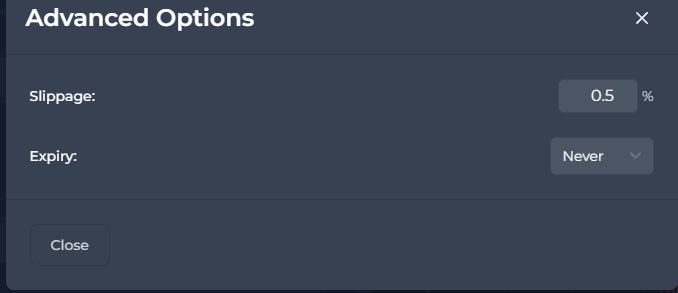
The Advanced Options panel allows you to fine-tune how your order behaves during execution.
These settings are optional, but they give experienced traders greater control over price precision and order validity.
Slippage
Slippage defines the maximum percentage difference you are willing to accept between the expected price and the actual execution price.
- A lower slippage (0.1% - 0.5%) offers stricter price protection
- A higher slippage (1% or more) increases the chance of immediate execution but with more variance in the final price
For Market Orders, slippage is crucial because execution happens instantly at the best available price across Hedera DEXs.
For Limit Orders, slippage rarely comes into play because the execution only triggers when the exact limit price is reached.
Expiry
The expiry setting determines how long your order remains valid before it is automatically canceled.
You can choose:
- Never - The order remains active until you manually cancel it
- Custom duration (e.g., 1 hour, 1 day, 1 week) - The order will automatically expire after this timeframe
Expiry is especially useful when:
- You don't want old orders executing unexpectedly
- You're placing short-term speculative trades
- You're managing multiple active orders and want them to auto-clean after a period
Closing the Panel
Use the Close button at the bottom to exit the Advanced Options and return to the main trade screen.
Your updated preferences will be applied automatically to the next order you create.
Create Your Order
Once your details are filled in:
- Enter the amount
- Choose the target price (for Limit/Stop-Loss orders)
- Review estimated output
- Click Create Order
If you are not connected, the button will prompt you to Connect Wallet first.